
Course · Media Buying II
6.3) Manual Bidding Complete Guide
Advanced Meta Media Buying II:
6.3) Manual Bidding Complete Guide

Structure of this module:
- Definition of Manual Bidding
- Types of Manual Biddings
- Exercise: Find Your Winning Cost Cap
- Exercise: Find Your Winning Bid Cap
- Troubleshooting (Typical Problems)
1) Definition of Manual Bidding
Theory:
- Setting a specific maximum cost you’re willing to pay for a purchase in the advertising auction. Instead of relying on Meta's automatic algorithm to optimize bids based on performance, you directly control how much you're willing to spend for a purchase.
Manel:
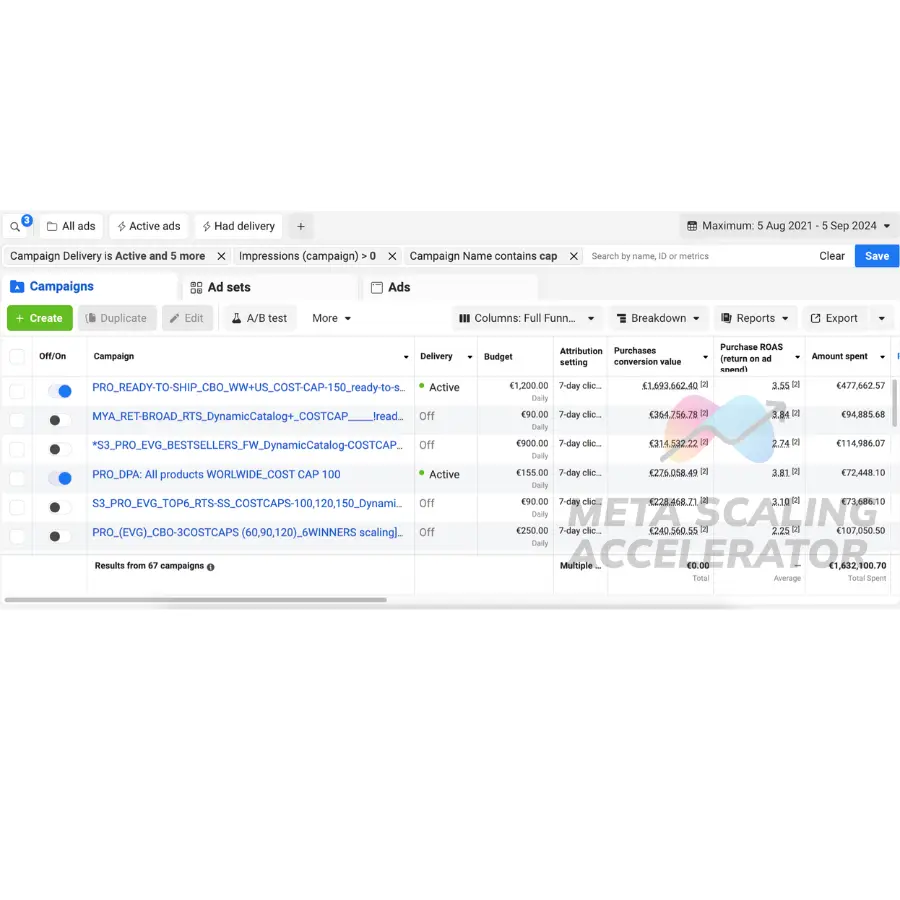
- Horizontal scaling strategy on Meta that we use to change how we enter the advertising auction and therefore get more delivery, reach more/different users and keep the ROAS and the ad spend high.
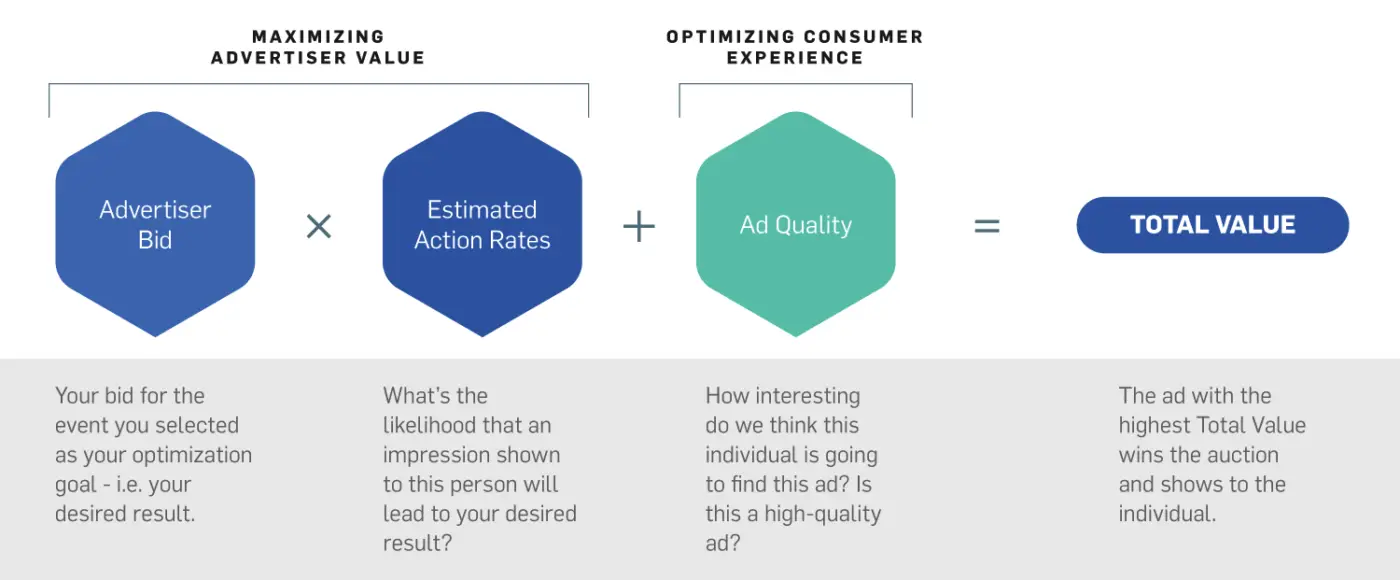
With this bid, you send a “message” to the Meta advertising machine as to how much you’re willing to pay for a result, and based on it, Meta will pick you or not as the winner of the auction.
The whole Meta advertising platform is an AUCTION.
Bid too low = You don’t get delivery.
Bid too high = You pay too much for a purchase (in theory).
With manual bidding, we have the ability to condition the result of the auction formula:
2) Types of Manual Bidding
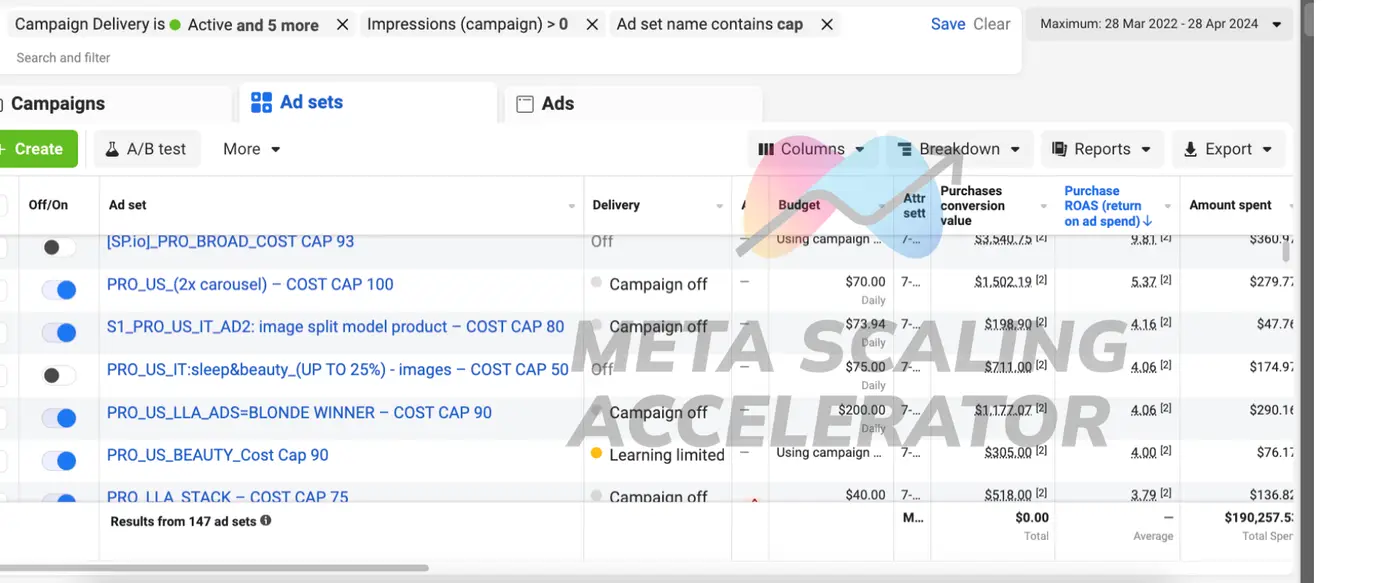
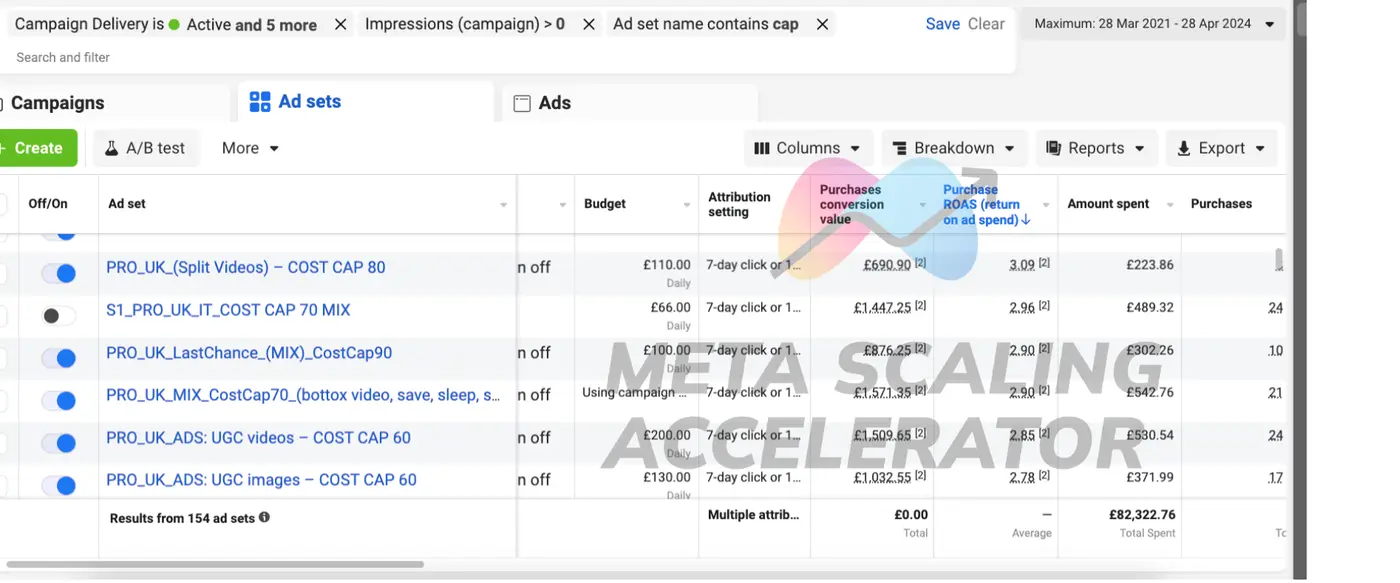
- Cost Cap: We use this to indicate to Meta what we're aiming for – essentially, the average cost per purchase we’d like to pay over the long term. More open than bc.
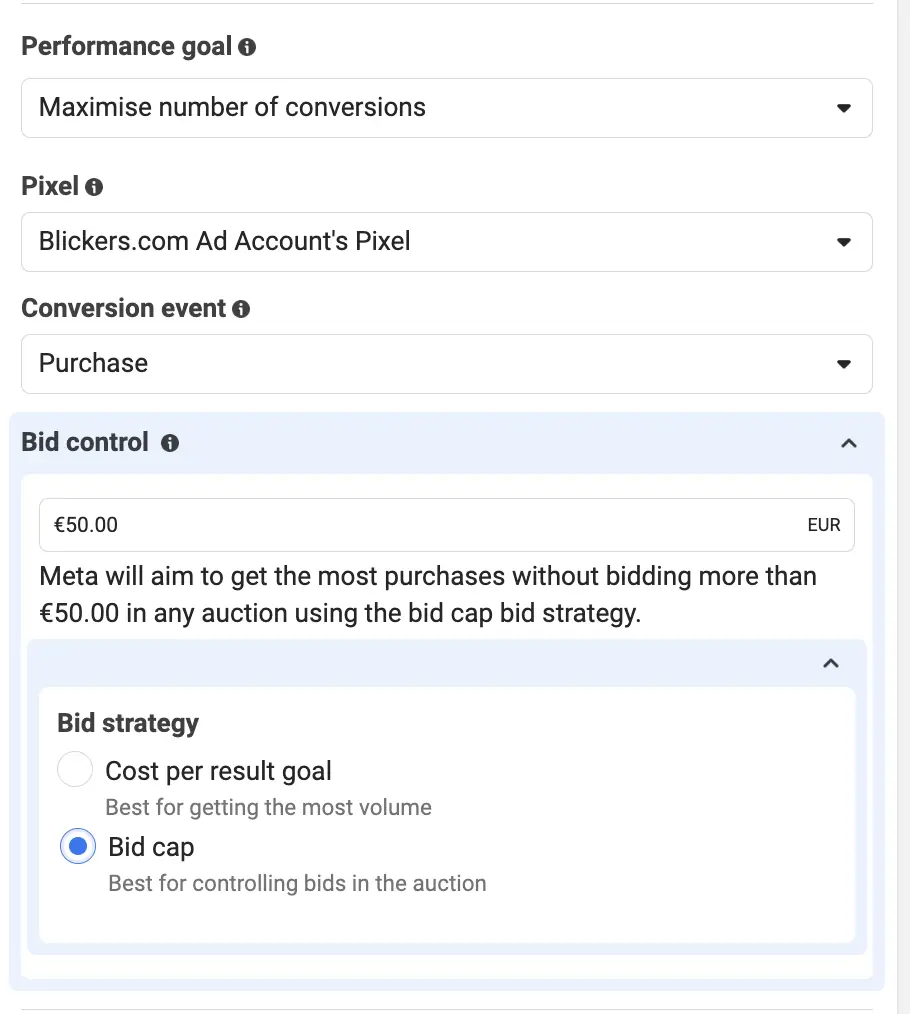
“Best for getting the most volume” - Bid Cap: This is how we control the machine, ensuring it only enters auctions where it can guarantee the cost per purchase we’ve set in the bid cap. Very strict.
“Best for controlling bids in the auction”
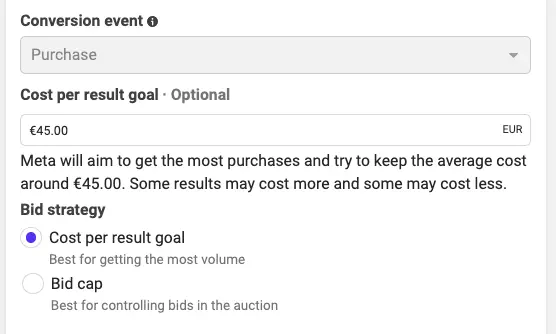
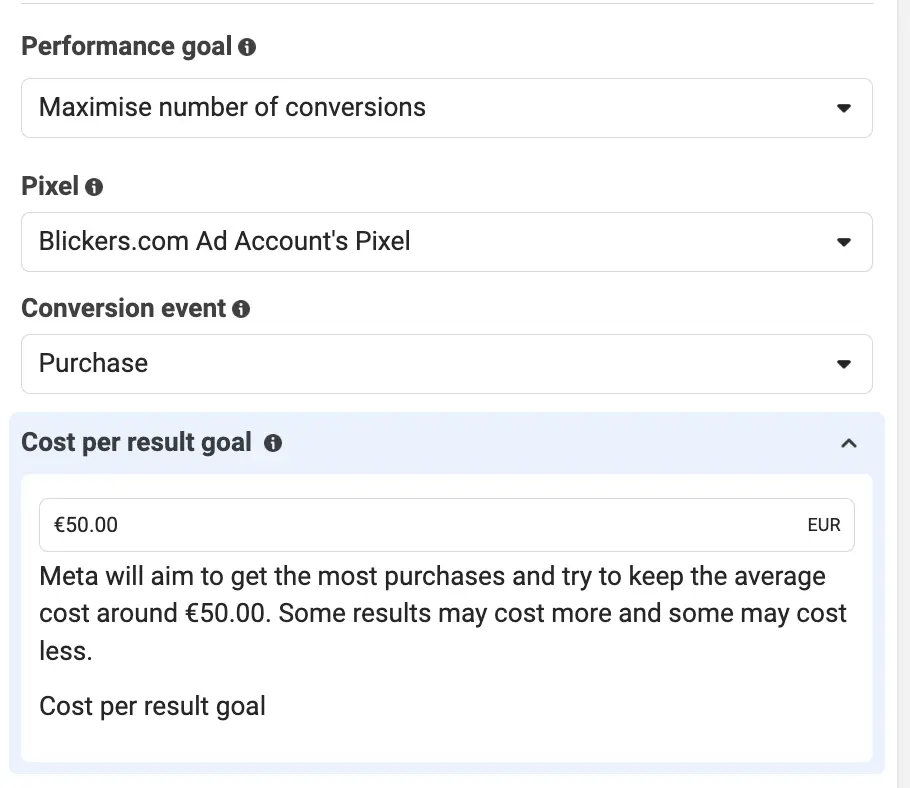
- Cost Cap: “(...) try to keep the average cost around X€”
- Bid Cap: “(...) without bidding more than X€”
Other Manual Bidding Options
- Max Value: The algorithm will focus on maximizing the value of conversions rather than the volume. Essentially, your ad will be shown to people who, on average, tend to spend more per purchase (higher AOV).
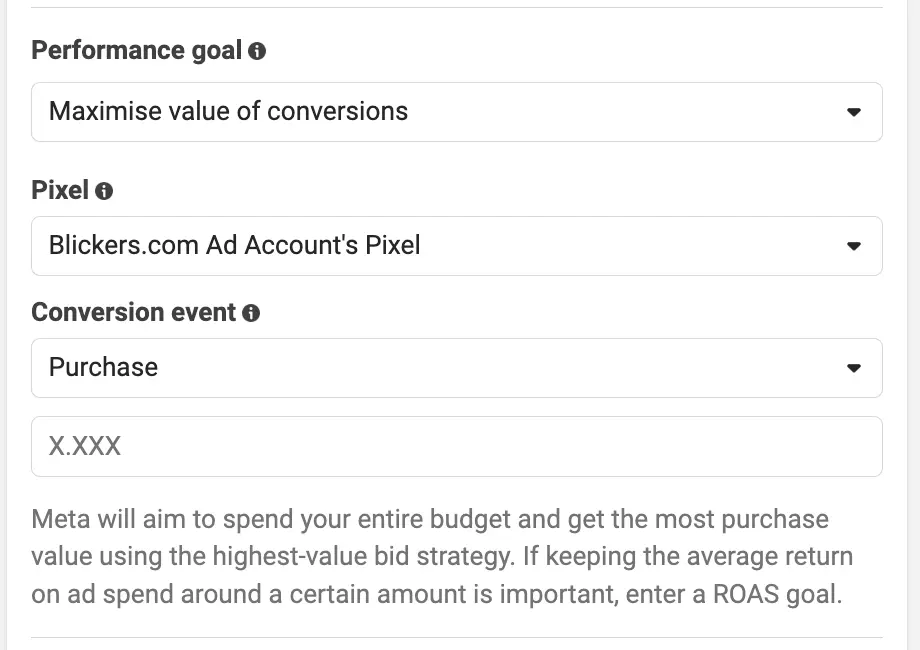
- ROAS Goal: This is used to demand a minimum ROAS to Meta. In simple terms, if you set a very high ROAS, your ad set might not spend the budget. Personally, I don’t use this often.
3) Exercise: Find Your Winning Cost Cap
Finding your winning cost cap amplifies your ability to scale.
Once you have it, you will have a new option to scale horizontally.
As soon as you have a new winning ad set, the very first thing you will do is duplicate it and add your winning cost cap.
This exercise is very similar to creative testing.
We want to find the sweet spot, where the balance between delivery and ROAS is optimized.
Step #1: Identify a winning ad set
Step #2: Determine your 3 Cost Caps to test
Step #3: Duplicate the winning ad set three times
Step #4: Wait for three days and identify the winning CC
Step #5: Refine the winning CC with 2 new ad sets
Step #6: Identify the final winning CC
_________________________________________________
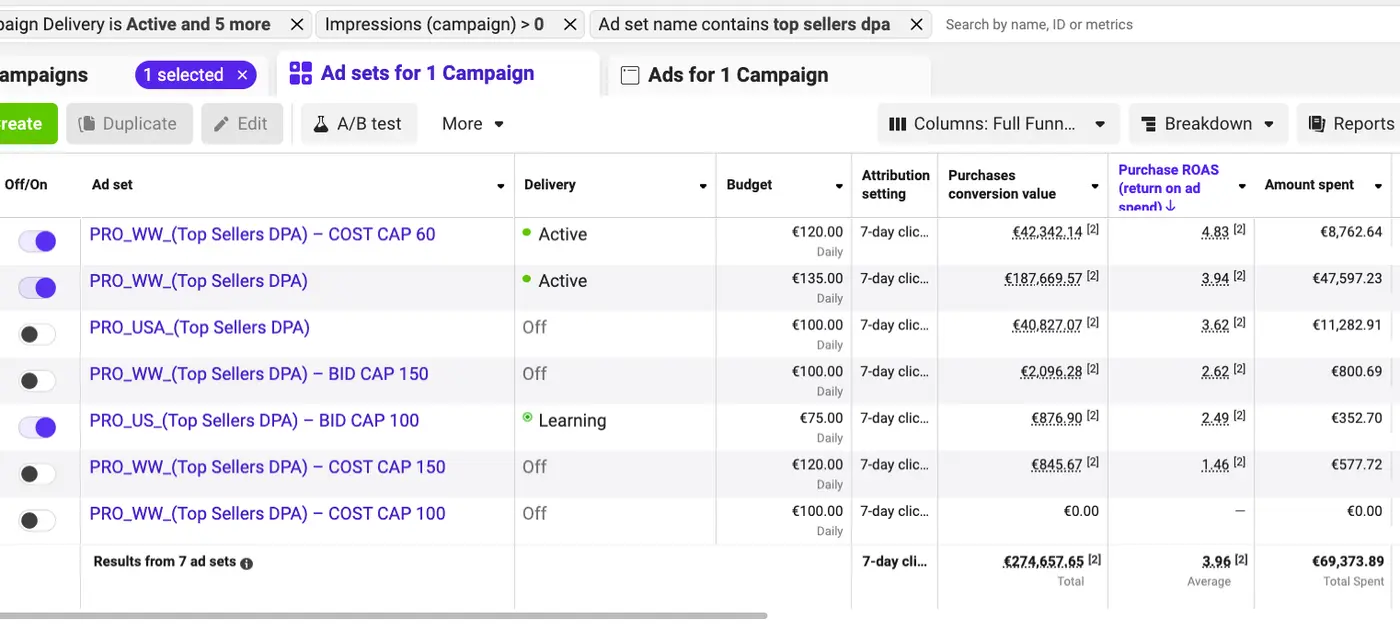
Step #1: Identify a winning ad set
- Basically, pick an ad set with great performance to make this test. Please choose an ad set with more than 10 purchases.
Step #2: Determine your 3 Cost Caps to test
We will do this test with three cost caps, a low one (underbidding), a medium one and a high one (overbidding).
Example, AOV: 50€
- Underbidding CC: 20€
- Medium CC: 50€
- Overbidding CC: 80€
Example 2, AOV: 100€
- Underbidding CC: 40€
- Medium CC: 100€
- Overbidding CC: 120€
*No strict numbers, at this stage, you don’t need to be super precise, we are not testing if CC 40 is better than CC35. We are testing underbidding against overbidding.
Step #3: Duplicate the winning ad set three times
Winning Ad Set: “PRO_US_(UGC Jon)” with AOV 100€.
- New ad set 1: “PRO_US_(UGC Jon)_Cost Cap 40”
- New ad set 2: “PRO_US_(UGC Jon)_Cost Cap 100”
- New ad set 3: “PRO_US_(UGC Jon)_Cost Cap 120”
- Daily budget per ad set: the one you use for testing ad creatives
- Approx: spend the AOV in 3 days, so the daily budget should be 35€/day/ad set
Step #4: Wait for three days and identify the winning CC
- New ad set 1: “PRO_US_(UGC Jon)_Cost Cap 40”
- New ad set 2: “PRO_US_(UGC Jon)_Cost Cap 100”
- New ad set 3: “PRO_US_(UGC Jon)_Cost Cap 120”
Step #5: Refine the winning CC with 2 new ad sets
- New ad set 2: “PRO_US_(UGC Jon)_Cost Cap 100”
- New ad set 4: “PRO_US_(UGC Jon)_Cost Cap 80”
- New ad set 5: “PRO_US_(UGC Jon)_Cost Cap 110”
Step #6: Identify the final winning CC
- New ad set 1: “PRO_US_(UGC Jon)_Cost Cap 40”
- New ad set 3: “PRO_US_(UGC Jon)_Cost Cap 120”
- New ad set 2: “PRO_US_(UGC Jon)_Cost Cap 100”
- New ad set 4: “PRO_US_(UGC Jon)_Cost Cap 80”
- New ad set 5: “PRO_US_(UGC Jon)_Cost Cap 110”
Stick to Cost Cap 80.
*Yes, you could refine even more if you want and test CC60, CC70 and CC90. It’s up to you.
4) Exercise: Find Your Winning Bid Cap
The exercise is the same as with Cost Caps.
Just take into account that Bid Cap is more strict, so underbidding becomes very complicated here.
Basically if you have an AOV of 50€ and a historical cost per purchase in the account of 15€, if you put a bid cap at 20€ it will just NOT spend because it’s too much pressure on the algorithm that if it wants to spend 1€ it has to GUARANTEE that it will achieve a cost per purchase of 20 or less.
Step #1: Identify a winning ad set
Step #2: Determine your 3 Bid Caps
Step #3: Duplicate the winning ad set three times
Step #4: Wait for three days and identify the winning BC
Step #5: Refine the winning BC with 2 new ad sets
Step #6: Identify the final winning BC
Tip, if AOV: 50€
- Underbidding: 40 → Set this one higher, not 20
- Medium: 50
- Overbidding: 80
5) Troubleshooting (Typical Problems)
Typical problem #1: The ad set does not spend
- It’s because your bid is too low
- The machine determines you have a low “Estimated Action Rate”
- So your total value when you enter the auction is so small that you cannot compete with other advertisers that have a high total value
- Solution: Increase the bid
Typical problem #2: I have more than one winning Cost Cap or Bid Cap
- This is a “problem”
- It’s nice because when you’re scaling, if your number 1 Cost Cap fails, you have a backup option
- Solution: increase the budget until one of them starts to break and the winner will be the one that can sustain the increase of budget.
Typical problem #3: The manual biddings work great in ABO, but when I move them into Advantage+ or CBO it doesn’t work at all
- It happens to me, but only sometimes
- Solution 1: If it only happens sometimes, it’s normal, it will not work in every single CBO or Adv+
- Solution 2: If it happens to every single CBO or Adv+, then you have to review your winning cost caps and make sure that’s the actual winner
- Solution 3: Go to Advantage+ or CBO with a different Cost Cap (maybe try a little bit higher)
Typical problem #4: I have different products with different AOVs, do I have to make different bids?
- Yes, make different cost caps and bid caps, but only when the difference in AOV is big.
- If your AOV changes from 40 to 60€ just have 1 or 2 winning cost caps
- But if you have products at 10€ and products at 150€, then you need specific bids for specific products. But please do not overcomplicate the account, for example I would only do the cost cap exercise with the best selling product.